Setive: preparing Windows and WSL without overwriting a developer's environment
Pure planning, idempotency, real-state verification, and safe undo: Setive's engineering decisions and documented testing limits.
- software architecture
- windows
- wsl
- dotnet
- developer tools
Installing tools is not the same as safely changing a workstation
When I designed Setive, the central question was not how to run several winget install commands. It was how to prepare an existing development machine without overwriting decisions that already work. A workstation has version managers, manually installed runtimes, configuration files, extensions, and history that a generic bootstrap script cannot see.
Setive is a Windows 11 desktop application built with .NET 10 and WPF. Its core engine is separated from Windows-specific integrations. The repository retains its former technical name, DevBoost. It is a work in progress, not a commercially released product with every installation path validated.
Its core workflow is explicit:
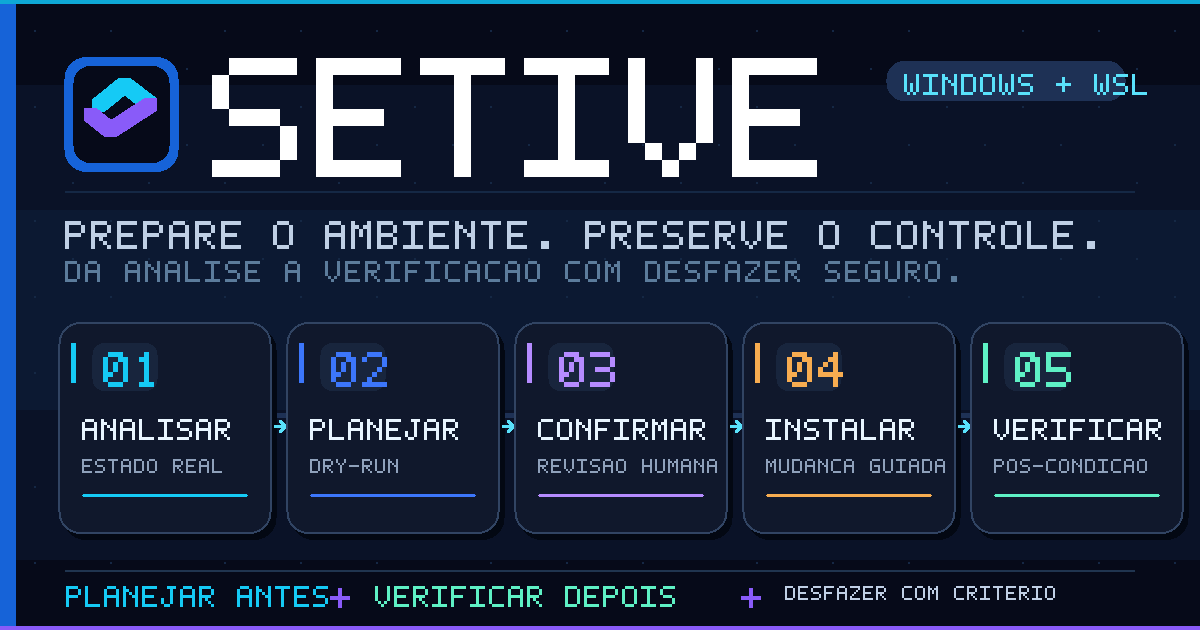
Inspect -> Plan -> Human review -> Apply -> Verify -> History
The critical design choice is to make the change explainable before execution and verifiable afterwards.
Treat the observed machine as the source of truth
A manifest states intent; inspection reports observed state. Setive checks executable versions, winget-managed applications, and a WSL distribution when available. An executable exposed under /mnt/c does not count as a Linux installation.
Environment discovery has subtle failure modes. A desktop process can retain an outdated PATH after a tool is installed. Setive rebuilds the relevant environment so verification can find newly installed tools without requiring an application restart.
The origin of a runtime matters as much as its version. A Python installation managed by Conda or pyenv should not be replaced by a system package. The same applies to nvm, fnm, Volta, Scoop, SDKMAN!, and rustup.
A useful inventory therefore records presence, version, origin, and management authority. Presence alone does not authorize a change.
Make planning pure and execution explicit
The planning entry point, Planner.Create, is a pure function. It produces a plan from inventory and user selection. Only PlanExecutor.ApplyAsync mutates the machine.
A simplified decision model looks like this:
for each requested component:
    current = inventory[component]
    if current satisfies policy:
        mark ready
    else if another manager owns it:
        explain; do not overwrite
    else if versions can coexist:
        plan side-by-side installation
    else:
        propose a reversible step for review
This is illustrative pseudocode rather than a literal source excerpt. Express and Manual modes differ in selection, not in their execution engine. Both expose the resulting plan.
A meaningful dry-run includes dependencies, optional upgrades, elevation, reboots, and service interruption. Editing .wslconfig, for instance, can require restarting WSL, potentially stopping Docker Desktop containers using the WSL 2 backend. That warning belongs before the action.
Idempotency means reconciling state
Running an installation command twice without crashing is not sufficient. On the second run, the planner should observe that the desired state is already satisfied and generate no unnecessary step.
Setive avoids silently replacing runtimes managed elsewhere. Compatible versions such as JDK, .NET SDK, and Python can be installed side by side. Updating an existing installation remains an explicit choice.
This requires more discovery work than a shell script, but it prevents accidental ownership changes and makes the reason for skipping an operation visible.
Verify effects, not merely exit codes
A package manager may report success while leaving an unusable PATH or the wrong active version. Conversely, an installer may report failure after making partial changes. Setive therefore checks the machine after applying a plan.
There are three distinct questions: did the process finish, did the expected effect appear, and does the resulting state satisfy the component policy? Only the last establishes functional success.
The engine records steps before and after execution. An interrupted operation can then be represented explicitly rather than assumed complete.
Undo must respect ownership
An undo button is not permission to remove anything with a familiar name. Setive only reverses installations and configuration changes attributable to the application.
Configuration edits have backups and preconditions. If the user changed a file after inspection, automatic restoration must not overwrite their work. Linux package removal is constrained to packages actually introduced and rejects unsafe collateral removal. Third-party version managers retain ownership of their tools.
This is not a promise of universal transactional rollback. External installers can produce side effects that have no perfect inverse. A defensible design records provenance, checks conditions, and refuses unsafe reversal.
Windows and WSL are separate environments
Catalog components can have Windows and WSL variants, with Linux entries identified by @wsl. A graphical editor belongs on Windows; selected server tools may belong in WSL; runtimes follow the user's workflow.
The engine communicates through wsl.exe and sends scripts through standard input to avoid fragile cross-shell quoting. Inspection runs in the user's environment; apt operations use the distribution's appropriate privilege context.
The documented Linux targets are Ubuntu and Debian. The planner checks package availability and support policies rather than blindly installing an obsolete version. WSL resource tuning preserves unrelated content in .wslconfig and edits only memory, processors, and swap.
A remote catalog must not become remote code execution
An updateable manifest system introduces a supply-chain boundary. If a downloaded manifest could execute arbitrary commands, a data update would effectively become a remote execution channel.
Setive restricts manifests to known action types and constrains trusted download origins in code. Downloads outside package managers are checked against SHA-256. Catalog updates use ECDSA P-256 signatures, and the application validates the signature and version before accepting them.
Hashes identify expected bytes; signatures authenticate authorized catalog publication, assuming private keys remain protected. Neither proves that upstream software is free of vulnerabilities. Restricting the catalog's expressive power is a deliberate security trade-off.
Three failures that simulated tests missed
The repository documents a real Windows 11 test on October 6, 2026: installing Node.js, pnpm, and Git, verifying and undoing them, plus writing and restoring .wslconfig.
First, child processes inherited problematic working directories. pnpm 12 rejected a network path, while .NET could pick up an unrelated global.json. Launching from a neutral directory fixed that class of failure.
Second, silent MSI removal prevented an elevation prompt and broke uninstallation. The uninstall path needed to allow the prompt.
Third, uninstalling a portable package left stale user PATH entries. The executor now tracks entries it introduced and removes only relevant leftovers while preserving unrelated registry values.
Mocks are valuable for decision logic; real systems expose implicit contracts with operating systems, installers, and process environments. Both are required.
What is validated and what is not
The documented Windows cycle ran on a real machine. On WSL, the recorded work covers inspection, planning, apt simulation, repository-key checks, removal safeguards, and simple language probes—not real installation through apt, npm, pipx, dotnet, or Composer.
Clean-Windows testing, heavy installation flows, the installer, code signing, and production licensing/catalog infrastructure remain unfinished. The product is still under development. Architecture designed for safety is not the same thing as a fully validated release.
Practical checklist
- Detect version, origin, and manager before proposing changes.
- Separate a pure planner from an effectful executor.
- Show permissions, dependencies, restarts, and interruptions.
- Reconcile observed state instead of replaying commands.
- Verify the machine after installation.
- Track provenance before offering undo.
- Never overwrite configuration modified since inspection.
- Constrain catalog actions, download origins, hashes, and signatures.
- Test both simulated and real environments.
- Publish an honest matrix of validated and untested paths.
Closing perspective
Preparing a development environment is a state-reconciliation and trust problem, not a command list. Planning, postcondition checks, and ownership-aware undo take more engineering than a bootstrap script, but they are the properties that matter on somebody else's computer.
Useful primary references include Microsoft's WSL documentation, Windows Package Manager documentation, and Microsoft cryptography guidance.