The problem is not just an invalid file
A project can compile and still load configuration that is incompatible with the environment where it will run. A variable documented in .env.example is no longer created by the pipeline; a production JSON file gains a key that never reached staging; a configuration template changes silently and deployment discovers the mismatch only when the application starts.
These are forms of configuration drift: two files that should follow the same contract stop agreeing. Traditional syntax validation does not solve this. Two JSON documents can both be valid and still describe different structures. Two .env files can be acceptable as text while declaring incompatible sets of variables.
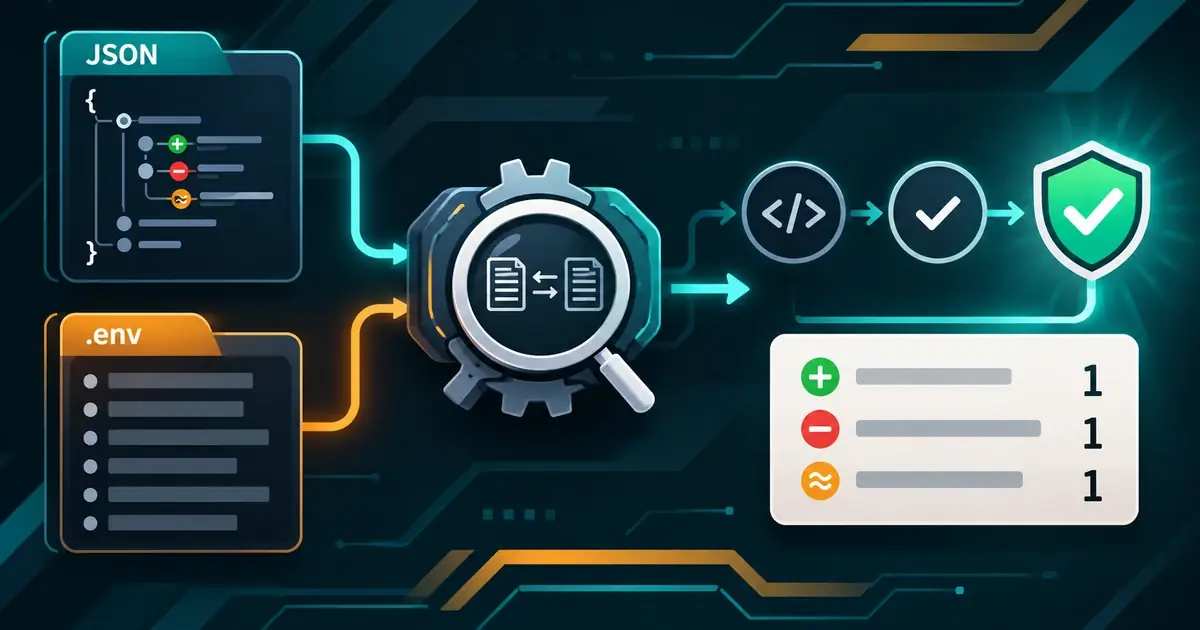
Resource Contract Checks was built for this narrow space: compare JSON structures and check .env variable-name contracts, both locally and through a GitHub Action. The implementation is also bundled in the portfolio's free tools collection. It is not meant to replace JSON Schema, a complete dotenv parser, or a secret scanner. Its job is to make a configuration difference visible before it slips through review.
Two modes, two kinds of contract
The tool receives two files: a reference and a candidate. The selected mode defines what “compatible” means.
JSON: compare structure, not a schema
The json mode parses both documents and walks their structures recursively. Object keys are compared independently of their textual order; arrays remain order-sensitive. For every difference, the engine records a path and a kind: added, removed, or changed.
An illustrative CLI result can look like this:
{
  "changes": [
    { "path": "/service/timeout", "kind": "changed", "before": 3000, "after": 5000 },
    { "path": "/features/retry", "kind": "added", "after": true }
  ],
  "truncated": false
}
Paths follow JSON Pointer: each segment starts with /, ~ becomes ~0, and / inside a key becomes ~1. This matters when property names contain those characters; concatenating keys without escaping would create ambiguous paths. The rule comes from RFC 6901.
There is also a numeric-safety check. The engine verifies whether converting a JSON numeric literal to JavaScript Number loses precision. It rejects non-finite values, integers outside the safe range, and decimals whose normalized representation changes. This avoids presenting a rounded value as a trustworthy equality or difference. RFC 8259 notes that JSON number range and precision depend on implementation capabilities; for identifiers and exact decimal values, strings or an explicit decimal type are often a better choice.
The engine limits each input to 200,000 text units, rejects structures deeper than 100 levels, and stores at most 500 changes. Once the change limit is reached, truncated becomes true; the result is no longer a complete list. These limits are intentional: a configuration comparator should not consume unbounded resources because someone added a huge or deeply nested document.
.env: compare key names, not values
The env mode answers a different question: do both configurations declare the same variables? It ignores blank lines and comments, accepts a basic NAME=... assignment and the export NAME=... form, and collects only the identifier before the equals sign.
It can therefore report missing keys, extra keys, duplicates, and lines that do not follow the expected basic format. Values are not part of the comparison. Two files containing DATABASE_URL and PAYMENT_TOKEN can have completely different values and still satisfy the same key-name contract.
That behavior is deliberate, but it has an important boundary: this is not a full shell parser or a complete implementation of every dotenv convention. It does not expand ${VAR}, evaluate commands, interpret escapes, or validate whether a URL, port, or secret has a correct value. It checks the presence and basic shape of declarations, not the semantics of their values.
The CLI and GitHub Action have different output profiles
The same engine is used by a Node.js CLI and a composite Action. The CLI is suitable for local inspection and custom automation:
node tools/bin/resource-tools.mjs env .env.example .env.ci
node tools/bin/resource-tools.mjs json config/default.json config/ci.json
It can also read one input from stdin by using - once. Files must be regular files, decoding requires valid UTF-8, and the 200,000-byte limit is checked again while reading—not only from the file's initial size. This helps handle a file that grows after stat and avoids blocking indefinitely on a FIFO.
The CLI returns stable exit codes: 0 for equality or a valid contract, 1 for differences, and 2 for invalid input or incorrect usage. In .env mode, the local report may show key names and line numbers, but not values. In JSON mode, the detailed report includes paths and before/after values. The CLI's JSON output can therefore contain sensitive data: do not redirect it to public logs without reviewing the content.
The GitHub Action uses a narrower output policy. Its action.yml defines a composite action with three inputs—tool, reference, and candidate—and passes them to the process through environment variables rather than interpolating them into a shell command. The runner uses Node.js 20 or newer and Bash; the package already includes the CLI and engine, installs no dependencies, and makes no network requests during the check.
The Action runner writes only status and counts to GITHUB_STEP_SUMMARY. For JSON, it reports the number of differences and whether the list was truncated. For .env, it reports counts of missing and extra keys, duplicates, and invalid lines. It does not publish paths, key names, file snippets, or values. The status and exit-code outputs are available to later steps.
This reduces the chance that a CI summary becomes an accidental disclosure channel; it does not turn the runner into a security boundary. The files remain in the workspace, the process must read them, and other steps in the same job may have access to the environment and working directory. Avoid placing real secrets in test files when placeholders are sufficient. Keep the distinction clear: the Action summary is aggregated, but the CLI's JSON report is not redacted.
The Action tests exercise this boundary: an .env case checks that strings used as secrets do not appear in the summary or stdout; another tries to inject arguments as commands; and a JSON case confirms that the summary contains counts rather than values. These tests make the intended guarantees verifiable, but they do not prove total security for the runner or other workflow steps.
Integrating it into a pipeline
A minimal workflow can check the presence of environment keys on every pull request:
name: configuration-contracts

on: [pull_request]

permissions:
  contents: read

jobs:
  contracts:
    runs-on: ubuntu-latest
    steps:
      - uses: actions/checkout@v4

      - name: Check environment key contract
        uses: owner/repo@FULL_SHA
        with:
          tool: env
          reference: .env.example
          candidate: .env.ci
Replace the owner/repo@FULL_SHA placeholder with YagoLagrottiBracco/resource-contract-checks@44b484f7eba8e5b074713eb753e2ae18db434aa6 to pin this release to a full commit. In production, do the same for actions/checkout and other dependencies: tags are convenient, but a mutable branch or tag does not offer the same reproducibility as a reviewed SHA. GitHub recommends pinning actions to full SHAs when stability and security are priorities; it also recommends auditing third-party action code and granting only the permissions required. See Metadata syntax, Secure use, and Workflow syntax.
To compare JSON, reuse the step and change tool: env to tool: json, with reference: config/default.json and candidate: config/ci.json. Both files must already exist in the workspace; the Action does not download them or discover them automatically. If the candidate is generated during the job, generate it before the comparison step. If the configuration contains credentials, prefer building a synthetic version with dummy values. The .env comparator only needs names, but the entire file still passes through the local process.
The repository's own workflow runs tests in a Node.js 20 and 22 matrix and invokes the Action with synthetic .env files. The public execution recorded on October 17, 2026 completed successfully for the documented CI jobs. This verifies that particular workflow; it is not evidence of tested compatibility on every operating system or adoption by third parties.
What the tool does not promise
A small comparator should not be turned into a universal configuration solution.
- It does not validate JSON Schema. If you need types, required properties, enumerations, limits, or API-version compatibility, use JSON Schema with a validator such as Ajv. Comparing two examples is not a substitute for a formal contract.
- It does not understand every dotenv dialect. For variable expansion, escapes, multiline quoting, or runtime-specific rules, use the parser used by the application itself. This regular expression checks names; it is not a complete grammar.
- It is not a secret scanner. The
.envmode does not inspect values; the JSON mode can show them in local output. Use dedicated credential-detection tools and repository secret policies. - It is not an unlimited diff. There are size, depth, and change-count limits. A truncated result must be treated as a difference, not proof that every change was listed.
- It does not resolve domain semantics. Two URLs may differ and both be valid; two ports may exist but point to the wrong services. That requires contextual validation, not structural comparison.
There is also a common JSON.parse limitation: duplicate keys inside the same object are not reported as an error by this engine. If duplicate properties matter to your contract, add a parsing stage that detects them before comparison. For financial numbers, do not rely on Number as an exact decimal representation; model units and precision explicitly.
Release, supply chain, and actual status
Version 1.0.0 was published on October 17, 2026, with v1 and v1.0.0 tags, an MIT license, and an attached distribution ZIP. The README recommends pinning the reviewed full SHA. A GitHub Marketplace listing is not claimed. The code is available in the repository, and the copy bundled with the portfolio lives in packages/resource-action.
The value of a small Action is not replacing an organization's configuration system. It is putting a low-cost check where drift can still be fixed: before merge. The security boundary, however, must be designed by whoever maintains the workflow. A summary without values is a useful exposure reduction; least-privilege permissions, pinned dependencies, synthetic files, and code review are still necessary.
Sources and implementation
- Resource Contract Checks — source and release 1.0.0
- JSON and
.envengine - CLI and input reading
- Action runner and tests
- RFC 6901 — JSON Pointer and RFC 8259 — JSON
- GitHub Actions: metadata, security, and workflow commands
The release and workflow were checked in the repository on November 12, 2026. This article describes the published code and tests; it makes no claims about adoption metrics, savings, avoided incidents, or validation in customer environments.
Reference with source and version
Suggest a correction
https://lagrotti.dev/blog/resource-contract-checks-json-env-contracts · EN
Your text stays in this form until you prepare and open the draft. You review and publish the issue on GitHub.
Which topic should go deeper?
Results are unavailable right now